

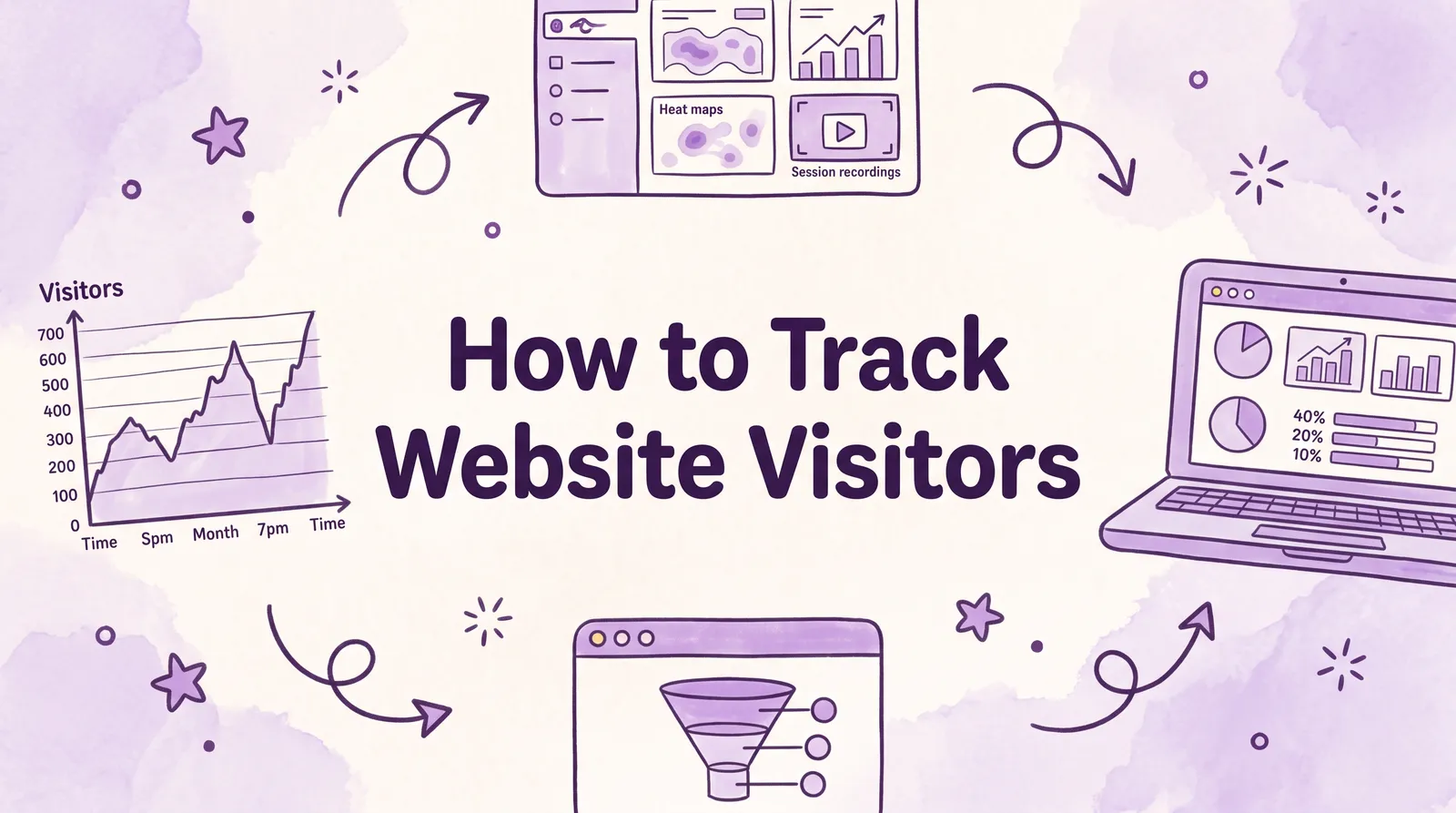
To track website visitors, add an analytics tag to every page of your site. The default is Google Analytics 4: free, used on 46.8% of all websites according to W3Techs, and installable through a plugin or settings field on WordPress, Shopify, Wix and Webflow. Add Microsoft Clarity (also free) to watch what visitors do on each page, or use a cookie-free tracker like Plausible or Fathom if you'd rather skip the consent banner.
This guide covers the setup for each platform, the five settings to change on day one, how to confirm tracking works, and what you can and can't learn about who your visitors are.
Key takeaways
- GA4 is free and runs on 46.8% of all websites (82.1% of sites with a known analytics tool), per W3Techs in October 2026.
- Install it once per site: Site Kit on WordPress, the Google & YouTube app on Shopify, Marketing Integrations on Wix, or the Google tag in the
<head>of any other site. - On day one, raise GA4 data retention from 2 to 14 months and exclude your own office IP. Neither change works retroactively.
- Microsoft Clarity adds free session recordings and heatmaps with no traffic limit, recording up to 100,000 sessions per project per day.
- You cannot see visitors' names in analytics. Company-level identification exists for B2B, and personal identity only comes from forms and logins.
What visitor tracking shows (and what it doesn't)
Website visitor tracking is the collection of anonymous data about each visit (the page, where the visitor came from, their device and country, and what they clicked) through a small script that runs in the visitor's browser. Every tool works the same way: the script sends an event to the vendor's servers each time something happens, and the dashboard counts them.
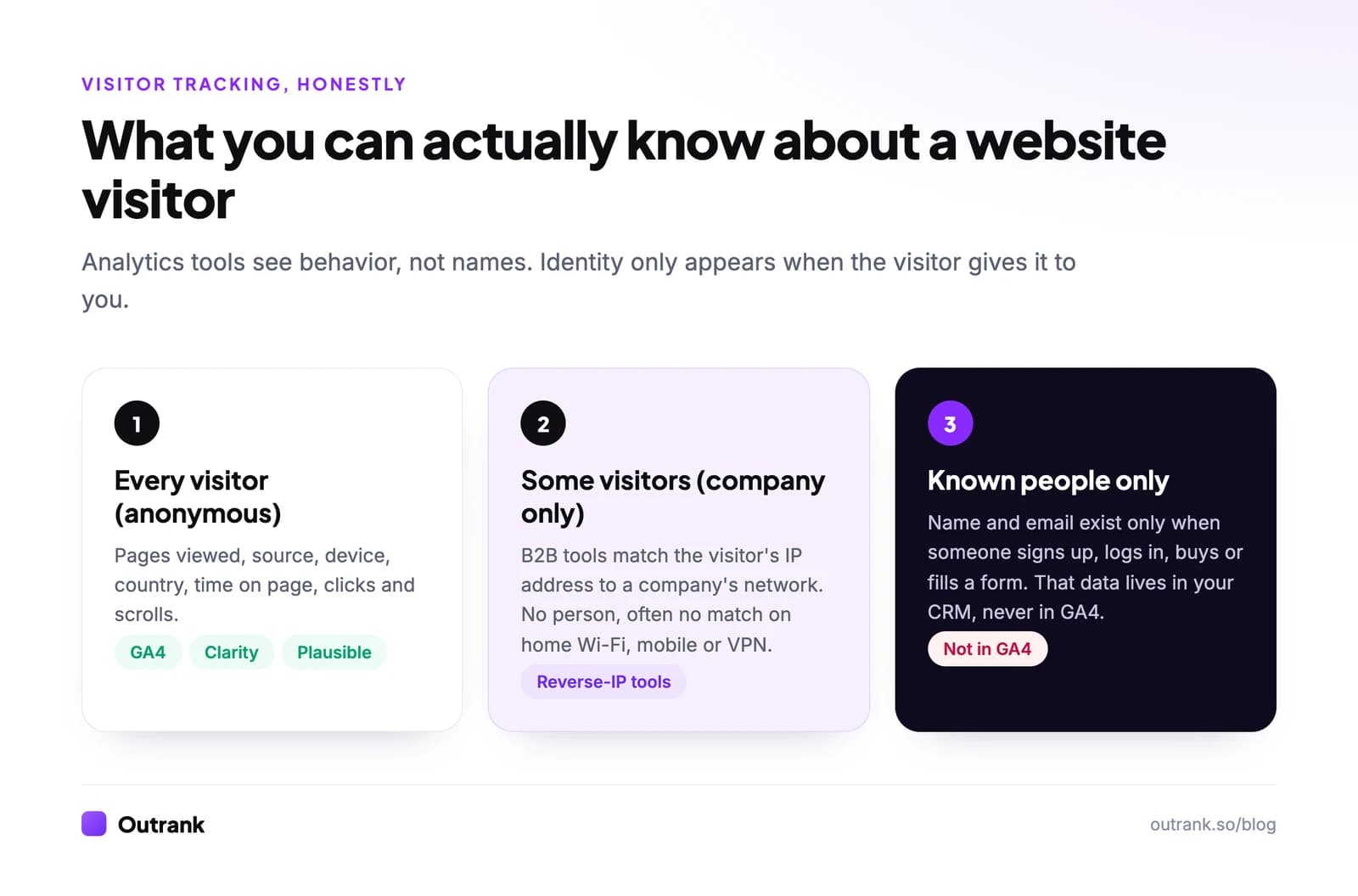
There are three levels of visitor data, and most confusion comes from mixing them up:
- Anonymous behavior, for every visitor. Pages, source, device, location, scroll depth. This is what GA4, Clarity and every privacy-first tool give you.
- Company, for some visitors. B2B "reverse IP" tools match an IP address to a company's network. They name the company, not the person, and they rarely match visitors on home Wi-Fi, mobile data or VPNs.
- Identity, only for people who tell you. Names and emails come from sign-ups, logins, purchases and forms. That data belongs in your CRM. Google's Analytics policies forbid sending personally identifiable information to GA4.
Choose a visitor tracking tool
Most sites should run GA4, and many add Clarity on top. The alternatives exist for real reasons: privacy laws, data ownership, or simply wanting a dashboard you can read in 30 seconds.
Share of all websites using each analytics tool
Google Analytics
46.8%
Meta Pixel
8.5%
Microsoft Clarity
4.1%
Yandex Metrica
3.4%
Cloudflare Web Analytics
3.2%
Hotjar
1.7%
Matomo
1.4%
Plausible
0.2%
| Tool | Price (October 2026) | Cookies | Best for |
|---|---|---|---|
| Google Analytics 4 | Free (what's included) | Yes | Conversions, ads, channel attribution |
| Microsoft Clarity | Free, no traffic limit | Yes | Recordings, heatmaps, rage clicks |
| Cloudflare Web Analytics | Free (10 sites if not proxied) | No | Basic counts with zero setup cost |
| Ahrefs Web Analytics | Free for verified sites, up to 1M events | No | Simple analytics with AI traffic and Search Console data |
| Plausible | From $9/month (10k pageviews), 30-day trial | No | One-page dashboard, EU-friendly |
| Fathom | From $15/month (100k pageviews), 7-day trial | No | Cookie-free stats across up to 50 sites |
| Matomo | Free self-hosted, paid cloud | Optional | Full data ownership on your own server |
Not sure which fits? Four questions:
4-question decision helper
Which visitor tracker fits your site?
Question 1 of 4
What do you need most?
How to set up Google Analytics 4 on your website
The setup has two halves: create a property in Google Analytics, then put its tag on your site.
- 1
Create a GA4 property
Sign in at analytics.google.com, go to Admin → Create → Property, and set your reporting time zone and currency. They decide where "midnight" falls in daily reports. - 2
Add a web data stream
In the setup flow (or Admin → Data streams → Add stream → Web), enter your domain. GA4 gives you a Measurement ID that looks like G-XXXXXXXXXX. Leave Enhanced measurement on: it tracks scrolls, outbound clicks, site search and file downloads without extra code. - 3
Install the tag through your platform
Use the method for your CMS in the table below. Install it in exactly one way, since two installs double-count your pageviews. - 4
Check that data arrives
Open Reports → Realtime and load your site in another browser or on your phone. You should appear within a minute or two. For event-level checks, use Tag Assistant and Admin → Data display → DebugView. - 5
Connect Search Console
In Admin → Product links → Search Console links, link your verified property so organic queries show up next to your visits. See our guide to Search Console domain vs URL-prefix properties if you haven't verified the site yet.
| Platform | Where to install GA4 |
|---|---|
| WordPress (self-hosted) | Install Site Kit by Google and connect Analytics, or paste the Google tag in your theme's header settings |
| Shopify | Install the Google & YouTube app and connect your GA4 property |
| Wix | Dashboard → Marketing Integrations → Google Analytics |
| Webflow | Site settings → Apps & integrations → paste the Measurement ID |
| Any other site | Paste the Google tag (gtag.js) right after the opening <head> tag on every page, or install it through Google Tag Manager |
Google Tag Manager is worth it once you have more than two or three scripts (GA4, Meta Pixel, LinkedIn Insight, Clarity). You install one container, then add or remove tags without touching the site's code.
Five GA4 settings to change on day one
GA4's defaults are built for Google's convenience, not your reporting. These take ten minutes and none of them work retroactively, so do them before the data piles up.
Interactive checklist
GA4 day-one settings
0/5
Your progress is saved in this browser, so you can come back to it later.
Retention matters more than it looks. With the default, any exploration older than two months comes back empty, and you can't recover it later. Google documents the retention options (2 or 14 months on standard properties) and the internal traffic filter steps.
Add Microsoft Clarity to see what visitors do
GA4 tells you that 70 people left your pricing page. Clarity shows you why: recordings of real sessions, heatmaps of clicks and scrolls, and flags for "rage clicks" and "dead clicks".
Per Microsoft's Clarity FAQ, it is free forever with no traffic limits, records up to 100,000 sessions per project per day, and keeps recordings for 30 days (favorites and a random sample for up to 9 months). Install it by pasting its script in the <head>, through the WordPress plugin, the Shopify app, or as a tag in Google Tag Manager.
Two habits make Clarity useful instead of a time sink:
- Watch recordings with a question. Filter to one page and one problem ("visitors from Google who left the pricing page in under 30 seconds") instead of browsing at random.
- Check heatmaps on mobile separately. A call to action that sits above the fold on desktop is often three screens down on a phone.
Clarity also groups visits from ChatGPT, Claude, Copilot, Gemini and Perplexity into an AIPlatform channel, which is a quick way to watch AI referrals grow.
Consent banners and privacy rules
Tracking visitors is legal, but how you do it depends on where they are. This is a practical summary, not legal advice.
- EU, EEA and UK: analytics cookies need prior consent under the ePrivacy rules, and any personal data falls under GDPR. In practice that means a consent banner before GA4 or Clarity set cookies.
- California and other US states: privacy laws such as the CCPA focus on notice and the right to opt out, so you need a clear privacy policy.
- Everywhere: never send names, emails or phone numbers to GA4, including in page URLs like
/thank-you?email=....
Consent costs data. When visitors decline, GA4 can only estimate them through behavioral modeling, and that needs at least 1,000 daily events from visitors who declined plus 1,000 daily users who accepted, each for at least 7 days. Small EU sites rarely qualify, so their GA4 numbers run low.
That is the main argument for cookie-free tools. Fathom states that it needs no cookie banner for analytics, and Ahrefs Web Analytics says it stores no cookies and no IP addresses with analytics data. Check the rules for your own country before dropping the banner.
Can you see who visits your website?
Not by name, unless they tell you. Standard analytics, GA4 included, shows anonymous and aggregated behavior: what groups of visitors do, not what a specific person did.
What you can do:
- B2B company identification. Reverse-IP tools turn office IP addresses into company names. Useful for sales teams, blind to most remote and mobile visitors.
- Logged-in users. If people sign in, GA4's User-ID feature can join their sessions across devices using an internal ID (never an email).
- Forms and CRM. The moment someone fills a form, your CRM can attach their earlier visits through its own tracking script.
Anything beyond that, such as trying to tie GA4 data to specific people, breaks Google's terms and, in Europe, very likely the law.
Common tracking mistakes
These are the setup errors that most often make visitor numbers wrong:
- The tag is missing on some templates. Blog posts are tracked, but checkout, landing pages or the help center are not. Spot-check with Tag Assistant on every page type.
- Two installs. A theme field plus a plugin plus GTM means every pageview counts twice. A sudden 100% jump in pageviews with flat sessions is the giveaway.
- No internal traffic filter. On small sites your own team can be a big share of visits.
- Untagged campaign links. Newsletter and social links without UTM parameters land in Direct. Our guide to organic search vs direct shows how much that distorts reports.
- Payment gateway referrals. Without the unwanted-referrals list, PayPal or Stripe gets credit for your sales.
What to do with visitor data
Tracking is the setup. The work starts when you read it.
- To check your numbers or a competitor's, use our guide on how to check website traffic.
- To understand which channel each visit is assigned to, read website traffic sources explained.
- To diagnose a drop or a spike, follow the step-by-step website traffic analysis method.
If the data shows that most visitors arrive through a handful of search pages, the fastest lever is usually more of those pages. Outrank handles that part: it researches keywords your site can rank for, writes and publishes an SEO article to your CMS every day, and builds backlinks through its exchange, so the tracking you just set up has more to measure.
FAQ
How can I track visitors on my website for free?
Install Google Analytics 4, which is free, by adding its tag to every page through your CMS (Site Kit on WordPress, the Google & YouTube app on Shopify, Marketing Integrations on Wix) or by pasting the Google tag in your site's head. Add Microsoft Clarity, also free, for session recordings and heatmaps. Cloudflare Web Analytics and Ahrefs Web Analytics are free cookie-free alternatives.
Can I see who visited my website?
Not by name. Analytics tools like GA4 and Clarity show anonymous behavior such as pages, sources, devices and countries. B2B reverse-IP tools can sometimes show which company a visitor works for, and you only learn a person's identity when they sign up, log in, buy or fill out a form.
How do I track website visitors without cookies?
Use a cookie-free analytics tool such as Plausible (from $9 a month), Fathom (from $15 a month), Cloudflare Web Analytics or Ahrefs Web Analytics (both free). They count visits, pages, referrers and countries without setting cookies, which is why their vendors say no consent banner is needed for analytics. Check your local rules before removing the banner.
How do I know if my tracking code is working?
Open your site in a separate browser, then check GA4's Realtime report: your visit should appear within a minute or two. For a page-by-page check, run Google's Tag Assistant, which shows whether the Google tag fired and which events it sent. If nothing appears, look for a missing tag, a consent banner blocking it, or an ad blocker in your own browser.
Is it legal to track website visitors?
Yes, as long as you follow the privacy rules where your visitors are. In the EU, EEA and UK, analytics cookies need prior consent and personal data falls under GDPR. In California and several other US states, you need clear notice and an opt-out. Never send personal information such as emails to analytics tools.
Does Google Analytics track individual visitors?
GA4 assigns each browser a random identifier so it can count users and sessions, but it does not show names, emails or other personal details. Google's policies prohibit sending personally identifiable information to Analytics. Reports show aggregated behavior, and small groups can be hidden by data thresholds.